You open Discord and notice a red circle with a white line next to a friend’s name. Did they block you? Are they angry? Is something broken? 😬
Take a breath. If you have ever asked yourself what does the red minus sign mean on Discord, the answer is simple and not scary at all. Once you know it, you will never worry about that little icon again.
In this guide, you will learn what the red minus sign says, where it appears, and why people choose it. You will also get real examples, a clear comparison table, and easy steps to turn it on or off. ✅
What Does the Red Minus Sign Mean on Discord?
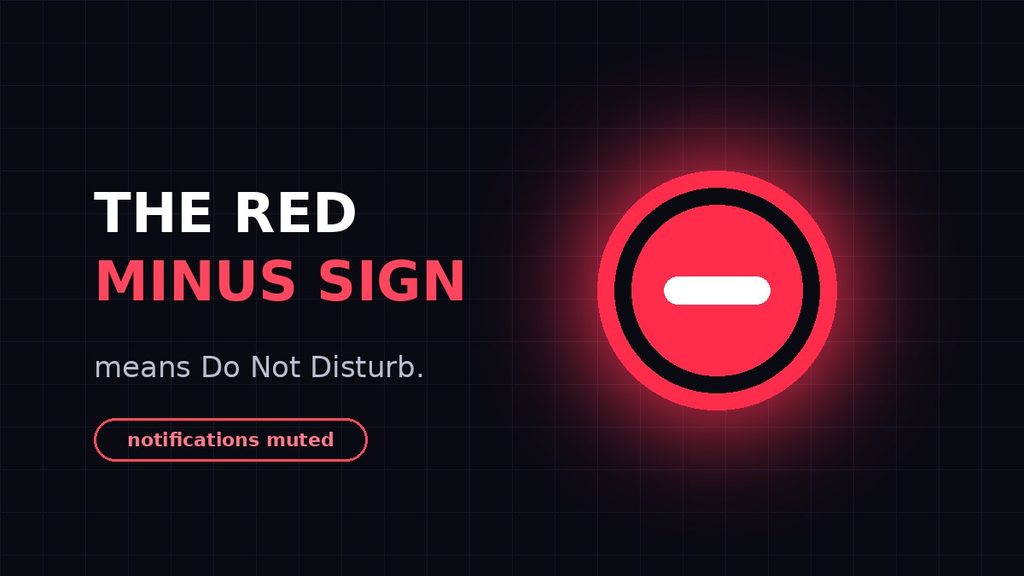
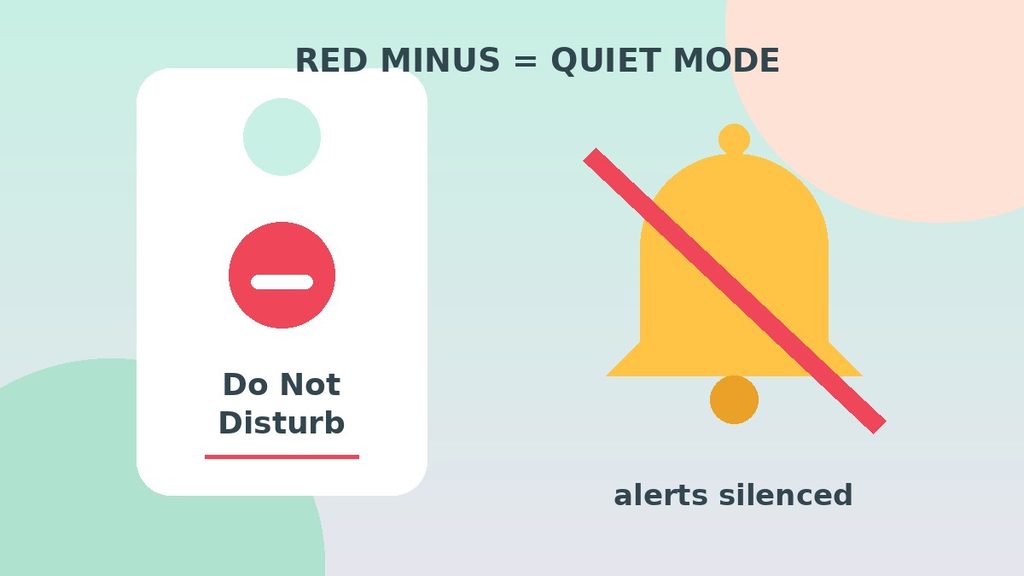
The red minus sign on Discord means a user has set their status to Do Not Disturb. It appears as a red circle with a white horizontal line on the profile picture. In short, it says, “Please don’t interrupt me right now.” 🔴
This status mutes desktop notifications for the person who chose it. That is why friends often use it during games, study time, or sleep.
Here is the key point: the red minus is not a warning about you. It is a personal setting, and it is usually chosen on purpose.
The Simple Meaning in Plain Words
Picture a hotel room. A “Do Not Disturb” sign on the door does not mean the guest left. It also does not mean the guest is angry. It simply means, “I’m here, but please give me some space.”
The red minus sign works the same way. The person is logged in to Discord. They just do not want pings, pop-ups, or sounds right now.
Here is a quick cheat sheet:
- 🟢 Green dot means “I’m online and available.”
- 🌙 Yellow moon means “I’m away for a bit.”
- ⛔ Red minus sign means “Do not disturb me.”
- ⚪ Grey hollow circle means “I look offline.”
So when someone asks what does the red minus sign mean on Discord, you can answer in three words: “Do Not Disturb.”
What Actually Happens When Someone Uses Do Not Disturb?
The red minus sign is more than a label. It also changes how Discord behaves for the person who picked it. Here is what that looks like in real life:
- Their notifications go quiet. Discord’s own help page says this status mutes all desktop notifications.
- Their account stays active. They can still read messages, chat, and join voice channels.
- Others can still message them. Your message arrives as usual, and they will see it later.
- Everyone can see the icon. The red circle shows in servers, direct messages, and profile cards.
The status also stays put. According to a guide from How-To Geek, Do Not Disturb does not switch to idle on its own. It stays red until the user changes it.
That explains why you sometimes see a red icon for days. Most likely, the person forgot to switch it off. 😄
Where Is the Red Minus Sign Used on Discord?
You can spot the red minus sign in many places. It sits on the profile picture, so it follows that person around the app. Let’s look at the main spots.
Next to Your Own Profile Picture
Look at the bottom-left corner of the desktop app. Your avatar sits there, and your current status shows as a small badge on it. A red minus here means you turned on Do Not Disturb yourself.
In the Server Member List
Open any server and check the member list on the right. Every person has a small status badge on their avatar. The red minus tells you who wants quiet right now.
In Direct Messages
Your DM list also shows each friend’s badge. So before you send a long message, a quick glance tells you whether they are available, away, or busy.
On Mobile
The Discord phone app shows the same red circle on avatars. You can also set it yourself from your profile menu. Keep in mind that phone alerts can depend on your device settings too.
What Does the Red Minus Sign Mean on Discord to Your Friends?
Your status is a small message to everyone who sees it. So it helps to know how friends read it.
When someone spots your red minus sign, they usually think one of these things:
- “They’re busy, so I’ll write now and wait.”
- “They won’t get an alert, so no rush.”
- “I’ll try again later if it’s urgent.”
Most people respect it. After all, they use the same status when they need peace. Because of that, you rarely have to explain yourself.
Still, context matters. In a work or school server, a long red icon may raise questions. A short custom status, such as “Back at 5 PM,” clears things up right away.
Red Minus Sign on Desktop vs Mobile
The icon looks the same everywhere. However, the effect can feel a little different on each device.
On a computer, Do Not Disturb mutes desktop notifications. That means no pop-ups and no sounds from Discord. It is the setting Discord’s help page describes.
On a phone, you pick the status from your profile menu. The red icon appears for everyone, just like on a computer. Yet your phone’s own settings can also affect alerts, so check them if a ping still slips through.
Either way, your status follows your account. If you switch it on at your desk, friends will see it on every device.
Why Do People Use the Red Minus Sign?
Many users enjoy the peace that Do Not Disturb brings. Here are the most common reasons:
- To focus. Homework, work, and exams all go better without pings.
- To game without distractions. A pop-up in the middle of a match can ruin the moment.
- To stream or record. Nobody wants a surprise notification on camera.
- To sleep in peace. Night-time pings are no fun.
- To protect their energy. Sometimes you just need a break from chat.
In other words, the red minus sign is a healthy boundary. It helps people stay on Discord without feeling overwhelmed.
Real-Life Examples of the Red Minus Sign on Discord
Examples make things clearer. Here are four situations that show what does the red minus sign mean on Discord in daily life.
Example 1: The Streamer
Zain is about to go live on a game stream. Before he starts, he switches to Do Not Disturb. Now no pop-up can appear on screen while thousands of people watch.
What it means: He is busy, not unfriendly. A message can wait until the stream ends.
Example 2: The Exam Week Student
Hira has a big exam on Monday. She keeps Discord open for her study group, but she turns on the red minus sign. That way, she can focus and check messages during breaks.
What it means: She still wants to be part of the group. She just needs fewer interruptions.
Example 3: The Night-Shift Worker
Omar works at night and sleeps during the day. When his friends chat in the afternoon, he does not want sounds waking him up. So he uses Do Not Disturb before bed.
What it means: Please leave a message. He will reply when he wakes up.
Example 4: The Team Server
Sana moderates a work server. During a long meeting, she sets the red minus sign so she can concentrate. Her teammates see the icon and know not to expect a quick answer.
What it means: She is in focus mode. Urgent matters should go through another channel.
Red Minus Sign vs Similar Discord Icons
The red minus is just one of several icons. People often mix them up, so this table shows what does the red minus sign mean on Discord next to the others.
| Icon | Name | What It Means | Notifications |
|---|---|---|---|
| Green dot | Online | The user is active and available | Work as normal |
| Yellow crescent moon | Idle | The user is logged in, but away | Still on |
| Red circle with a line | Do Not Disturb | The user wants no interruptions | Desktop notifications muted |
| Grey hollow circle | Invisible | The user appears offline to others | Normal use is still possible |
| Grey dot | Offline | The user is not connected | None until they log in |
Notice the difference. Online says “talk to me.” Idle says “I’ll be back soon.” The red minus says “please wait.” Invisible says “pretend I’m gone.”
Also, don’t confuse the red minus with other red things in Discord. For instance, a red badge with a number on a server icon usually counts unread mentions. That is a different feature, and it has nothing to do with status.
When Should You Use the Red Minus Sign?
You can switch it on any time you need space. Do Not Disturb is a smart choice in these moments:
- ✅ You need to study, write, or work without distractions.
- ✅ You are streaming, recording, or presenting your screen.
- ✅ You are in a meeting or on an important call.
- ✅ You are going to sleep and want a quiet night.
On the other hand, it is not always the best option. Choose a different status in these cases:
- ⚠️ Stepping away briefly? Use Idle, because your notifications stay on.
- ⚠️ Want to look offline? Use Invisible instead.
- ⚠️ Waiting for an urgent message? Stay on Online, so you don’t miss it.
How Should You Message Someone With a Red Minus Sign?
Now that you know what does the red minus sign mean on Discord, the next question is manners. How do you contact someone who wants quiet?
The best approach is simple. Send one clear message with everything they need. For example, write “Hey Sam, can you check my essay by Friday? No rush today.” That way, they can answer in one go.
Avoid sending ten short messages in a row. Each one fills their inbox, even if no sound plays. Also, skip the “are you there?” follow-up, because the red icon already answers that.
If something is truly urgent, use another channel. A phone call or text message works better than waiting for Discord.
Common Misunderstandings About the Red Minus Sign
A small icon can spark big guesses. Many people get it wrong about what does the red minus sign mean on Discord. Let’s clear up the biggest myths. 🔥
Myth 1: “They blocked me.”
Not true. A block works differently, and you would not see a status change like this. The red minus is a status choice, and it applies to everyone.
Myth 2: “They are angry at me.”
Almost never. The person probably wants fewer notifications from all of Discord, not from you in particular.
Myth 3: “I can’t message them.”
You can message them as usual. The status does not stop messages. It only silences the alerts on their side.
Myth 4: “It means they are offline.”
No. They are online, and the app is open. They simply chose quiet mode.
Myth 5: “It’s an error or a ban.”
No again. The red minus is not an error message, and it is not a punishment. Server bans and timeouts work in a completely different way.
Myth 6: “They must reply faster because they are online.”
Do Not Disturb exists to remove that pressure. So give them time. They will see your message when they are ready.
Why Is There a Red Minus Sign on My Own Profile?
This one confuses many users. You did not remember turning it on, yet there it is. Don’t worry, because the cause is usually simple.
- You picked it by mistake. The status menu sits close to other options, so a wrong tap or click is easy.
- You set it earlier and forgot. It stays on until you change it.
- You used another device. Your status follows your account, not just one device.
- Someone else used your account. This is rare, but worth checking if everything else looks odd.
To fix it, click your profile picture and choose Online. If you think someone else touched your account, change your password right away.
Is the Red Minus Sign Private?
So what does the red minus sign mean on Discord for your privacy? Very little. People only see the red icon. They do not see what you are doing, which window is open, or how long you have been busy.
Discord also has no “last seen” feature. Your friends only learn your current status, nothing more.
Keep one thing apart, though. Your activity status can show the game or app you are using, and that is a separate setting. If you want extra privacy, check it in your Discord settings. Do Not Disturb on its own reveals almost nothing.
Pro Tips for Using the Red Minus Sign Like an Expert
Now that you know what does the red minus sign mean on Discord, let’s put it to good use. These tips help you avoid common mistakes.
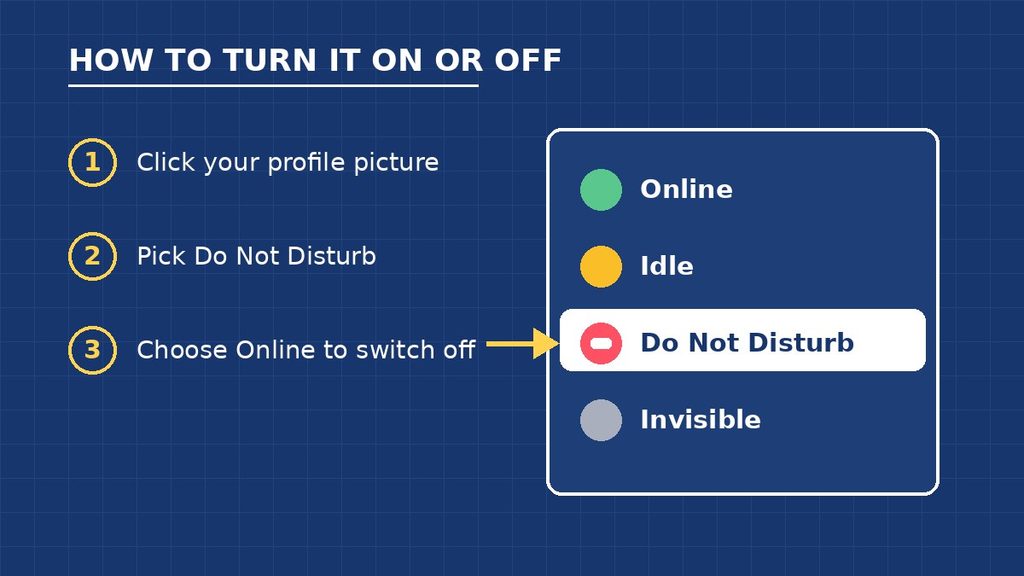
Tip 1: Turn It On in Seconds
On a computer, click your profile picture in the bottom-left corner. Then choose “Do Not Disturb.” On your phone, open the menu, tap your profile icon, select “Set Status,” and pick “Do Not Disturb.”
Tip 2: Don’t Forget to Switch It Off
Because the status never expires on its own, set a small reminder. When your focus time ends, choose Online again. Otherwise, friends may think you are still busy.
Tip 3: Add a Custom Status
A red icon alone leaves room for guessing. A short note removes the doubt. For example, “Studying until 8 PM 📚” tells everyone why you are quiet.
Tip 4: Use Server Mute for Small Distractions
Sometimes one noisy server is the real problem. In that case, muting that server is better than muting everything. That way, you still hear from the people who matter.
Tip 5: Respect Other People’s Red Minus
If a friend shows the red icon, send your message and move on. Don’t ping them again and again. A little patience keeps your community friendly.
Final Thoughts
The red minus sign is not a block, a ban, or a bad sign. It is simply Do Not Disturb, a quiet mode that helps people focus, rest, or enjoy their games.
Next time you wonder what does the red minus sign mean on Discord, remember this: they are here, but they want some peace. Send your message, stay kind, and expect a reply when they are ready. 🔴
FAQ: What Does the Red Minus Sign Mean on Discord?
What does the red minus sign mean on Discord in simple words?
It means the person has turned on Do Not Disturb. They are logged in, but they don’t want notifications right now. You can still send them a message.
Does the red minus sign mean someone blocked me?
No. The red minus is a status that anyone can pick for themselves. Blocking is a separate feature and does not show up as a status icon.
Can I still message someone with Do Not Disturb on?
Yes, you can. Your message will arrive as usual. However, they may not see an alert, so don’t expect an instant reply.
How do I remove the red minus sign from my profile?
Click your profile picture in the bottom-left corner and choose Online. On mobile, open your profile menu, tap “Set Status,” and select Online. The red icon disappears right away.