
You message a friend on Discord. Seconds later, you notice a little yellow moon on their avatar. Your stomach drops a bit. Did you say something wrong? 😬
Take a breath. What does idle mean on Discord is one of the most searched questions about the app, and the real answer is calm and simple. That moon almost never means what people fear.
In this guide, you will learn exactly what the idle status says, when it appears, and what to do when you see it. You will also get clear examples and a few smart habits that make chatting easier. 🔥
What Does Idle Mean on Discord?
Idle on Discord means a person is logged in, but has not used the app for a short time. Discord marks this with a yellow crescent moon on the profile picture. It tells others that the user is probably away from the screen.
The status can switch on in two ways. Discord may set it for you after a stretch of inactivity, or you can choose it from the status menu yourself.
Either way, the account stays connected. So the person is not gone. They are simply not looking at Discord at this moment. 🌙
The Simple Meaning in Easy Words
Picture a coworker’s desk. Their jacket hangs on the chair, and their laptop is open, but they are nowhere in sight. You know they are in the building. They just stepped out.
That is the moon icon. The person is around, but not at the desk right now.
So when you wonder what does idle mean on Discord in everyday terms, think “back soon.” It is a soft signal, not a warning and not a rejection.
Here is how the main dots compare in one glance:
- 🟢 Green dot: active and ready to chat
- 🌙 Yellow moon: logged in, but away
- ⛔ Red circle: please don’t disturb me
- ⚪ Grey circle: offline, or hiding
How Long Until Discord Shows You as Idle?
Many guides say the switch happens after about five minutes without activity. That covers typing, clicking, and moving the mouse inside the app.
Discord itself is vague on this point. Its help page only says the change happens after “a certain amount of time.” Therefore, five minutes is a handy estimate, not an official rule.
The way it ends depends on how it started:
- Automatic idle: it disappears once you use Discord again.
- Manual idle: it stays until you pick another status.
This detail explains a lot of odd cases. A friend who looks idle all weekend likely chose the moon by hand and forgot to change it.
Where Is the Idle Status Used?
The moon icon travels with your profile picture. Because of that, you can spot it in many corners of the app. Let’s walk through the main ones.
In the Server Member List
Open any server and look at the member list on the right. Each name has a small dot or icon on the avatar. A moon there means that member is idle.
In Direct Messages
Your DM list shows the same badge next to each friend. This is where most people notice it, because it sits right beside the chat they care about.
On Profile Cards
Click a name, and the profile card opens with the same status. It is the same signal, just a bit larger.
On Phone, Desktop, and Web
All three versions of Discord support the status. On a computer, it often turns on by itself. On a phone, you can set it by hand: tap your profile icon, choose “Set Status,” then pick Idle.
Why Do People Use the Idle Status?
Most people see idle by accident. Yet plenty of users pick it on purpose, and for good reasons:
- It sets honest expectations. Friends know a reply may take a little while.
- It removes guilt. You can step away without feeling you must answer instantly.
- It keeps you reachable. People can still message you, and you still get alerts.
- It avoids drama. A moon explains your silence before anyone asks.
- It feels lighter than hiding. You do not need to look offline to take a short break.
In other words, idle is the gentle option. It says “I’m around” without saying “talk to me right now.”
Does Idle Mean You Still Get Notifications?
Yes. Idle does not mute anything. Messages and mentions still reach you as usual.
Discord also tends to push alerts to your phone when your computer has been quiet for a while. So you can leave your desk without missing a ping.
If you want silence instead, choose Do Not Disturb. That status mutes desktop notifications, which suits deep focus far better.
Real-Life Examples of Idle on Discord
Examples show what does idle mean on Discord far better than rules do. Here are five moments you will recognize.
Example 1: The Late-Night Study Group
Four classmates share a server for exam prep. Hira goes to make tea, and her icon turns to a moon. Nobody panics. They keep sharing notes, and she catches up when she returns.
Meaning: She is on a short break, and the chat will wait.
Example 2: “Sorry, I Was Idle!”
You ask a friend to join a game. He replies twenty minutes later with “Sorry, I was idle!” He was not avoiding you. He was away from Discord and saw your message later.
Meaning: Late replies often come from distance, not dislike.
Example 3: The Server Moderator
Omar moderates a busy community. After a long shift, he switches to idle by hand before dinner. Members see the moon and know he may not answer reports right away.
Meaning: He is setting a friendly boundary.
Example 4: The Event Host
Lena runs a weekly quiz night. Ten minutes before it starts, she is on Online. Afterward, she steps away to rest, and Discord marks her idle again. Players can see she has left the “stage.”
Meaning: The event is over, and the host is off duty.
Example 5: The Forgotten Moon
Zain chose idle on Monday and never changed it. By Friday, friends assume he is always away. In fact, he has been online all week.
Meaning: A manual status needs a manual reset.
What Idle Means for Different Types of Users
The moon looks the same for everyone. Still, what does idle mean on Discord changes a little with the kind of server you use. Here is how it plays out.
For Gamers
In a gaming squad, idle usually means “AFK.” Maybe a player went to grab water between matches. Teammates simply wait a minute or send a quick ping.
For Students
In study servers, the moon often means a person is reading, writing, or sitting in class. They are still part of the group. They just need time to focus.
For Remote Teams
Some small teams use Discord for daily work. In that case, idle during work hours tells coworkers you stepped away from your desk. It is a polite heads-up, much like a “be right back” note.
For Creators and Community Managers
Creators often juggle many chats at once. Therefore, they may sit idle for long stretches while they edit videos or plan content. Fans should not take it personally. A creator who looks idle might be working hard elsewhere.
Idle vs Similar Terms on Discord
The moon is only one badge. People mix it up with others, so here is a clean side-by-side look.
| Term | Looks Like | Real Meaning | Can They Get Your Message? |
|---|---|---|---|
| Online | Green dot | Active right now | Yes, instantly |
| Idle | Yellow crescent moon | Logged in, but away | Yes, and alerts still arrive |
| Do Not Disturb | Red circle | Wants no interruptions | Yes, but desktop alerts are muted |
| Invisible | Grey circle | Appears offline on purpose | Yes, they can still use Discord |
| Offline | Grey dot | Not connected | They will see it later |
| AFK | Slang, not an icon | “Away from keyboard” | Depends on their status |
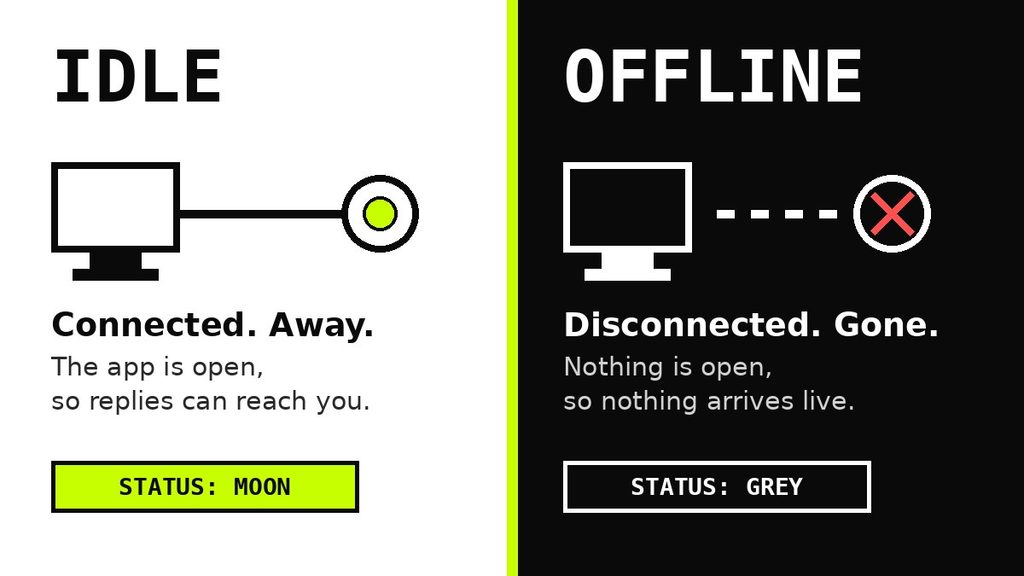
Here is the shortest way to remember it. Idle means “away for now.” Offline means “not here at all.” Do Not Disturb means “here, but leave me be.” Invisible means “here, but hidden.”
One more fact: as a How-To Geek explainer notes, Do Not Disturb and Invisible do not turn into idle on their own. Only the regular active status does.
When Should You Use Idle on Discord?
You can let Discord pick idle for you. Still, setting it yourself works well in some moments:
- ✅ You are leaving for a meal or a short walk.
- ✅ You are watching something and can reply later.
- ✅ You are busy, but fine with a quick ping.
- ✅ You want friends to expect a slower answer.
On the other hand, skip it when another status fits better:
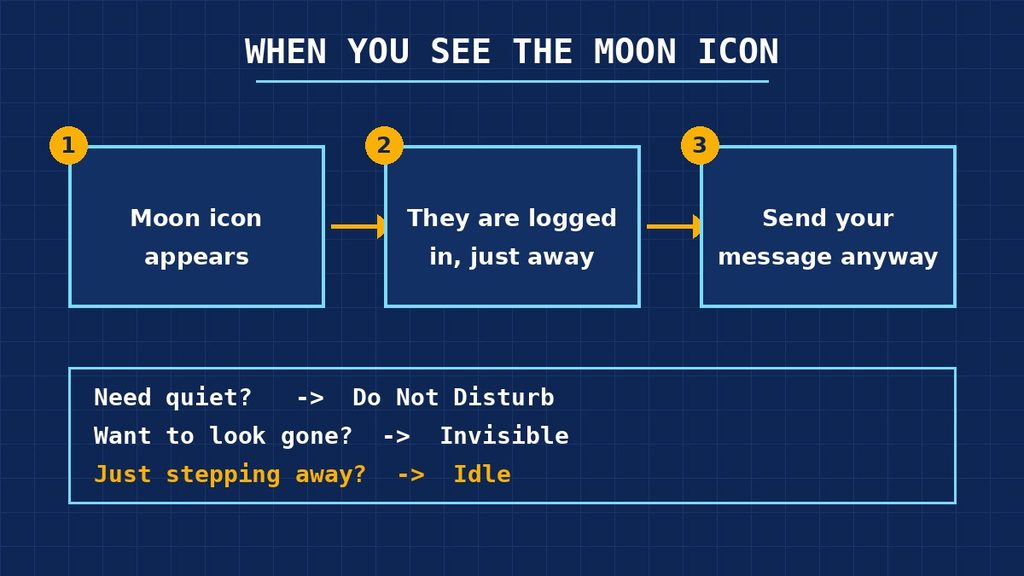
- ⚠️ Need peace? Pick Do Not Disturb.
- ⚠️ Want privacy? Pick Invisible.
- ⚠️ Back at your desk? Switch to Online so people feel welcome to chat.
The rule is simple. Your status should match what is really happening.
Common Misunderstandings About Idle on Discord
The moon is tiny, yet people read huge stories into it. Let’s fix the biggest mistakes about what does idle mean on Discord. 🔥
Mistake 1: Thinking Idle Means “Ignoring Me”
Most idle users have not even seen your message yet. They are away, not angry.
Mistake 2: Thinking Idle Means “Asleep”
Sleep is one option. Cooking, studying, or watching TV are others. The icon never explains why someone left.
Mistake 3: Mixing Up Idle and Offline
An idle user is still connected, while an offline user is not. That is why idle people can answer quickly once they return.
Mistake 4: Treating Idle Like Do Not Disturb
These two are far apart. Idle leaves your alerts on. Do Not Disturb mutes desktop notifications, as Discord’s own status guide explains.
Mistake 5: Believing You Cannot Message an Idle Person
Status never blocks messages. You can write to them like normal.
Mistake 6: Believing Idle Hides You
It does the reverse. The moon is visible to everyone. Only Invisible hides you.
Is That Person Really Idle, or Just Hiding?
Sometimes a friend looks offline, yet they reply within seconds. That is not a glitch. It is probably Invisible mode.
The moon, however, is different. It is shown openly, so nobody can use it to hide. If you see it, the person simply stepped away or set the status by hand.
You cannot know for sure what someone is doing behind a status. Discord also does not show a “last seen” time. So the best clue is the icon itself, plus a bit of common sense.
Why Am I Idle When I Am Still Using My Computer?
This one confuses many users. You are busy, yet friends see your moon. So what does idle mean on Discord when you never left?
Discord does not share its exact rules. Even so, these causes are common:
- You are in another window. A game or video may not count as Discord activity.
- Discord sits in the background. No clicks inside the app can trigger the switch.
- Your screen locked. The app sees no activity.
- You chose idle earlier. A manual pick does not expire.
To fix it, open Discord, click your profile picture, and choose Online. The green dot returns right away.
How to Set or Change Your Idle Status
Knowing what does idle mean on Discord is half the job. The other half is controlling it yourself. The steps are quick.
On a Computer
- Open Discord and look at the bottom-left corner.
- Click your profile picture.
- Choose Idle from the menu.
- To undo it later, repeat these steps and choose Online.
On a Phone
- Tap the menu icon at the top left.
- Tap your profile icon at the bottom right.
- Select Set Status.
- Tap Idle, or tap Online to go back.
Menu names can shift after app updates. If a button looks different, check Discord’s official status help page for the latest steps.
How to Talk to Someone Who Is Idle
Once you know what does idle mean on Discord, good manners are easy. Follow these simple rules and you will never come across as pushy.
- Send one clear message. Say what you need, so they can answer in one go.
- Skip the spam. Five messages in a row do not bring someone back faster.
- Use mentions with care. Save the @ ping for urgent matters.
- Give it time. A reply within the hour is normal for an idle user.
- Stay kind. A friendly tone keeps the chat pleasant when they return.
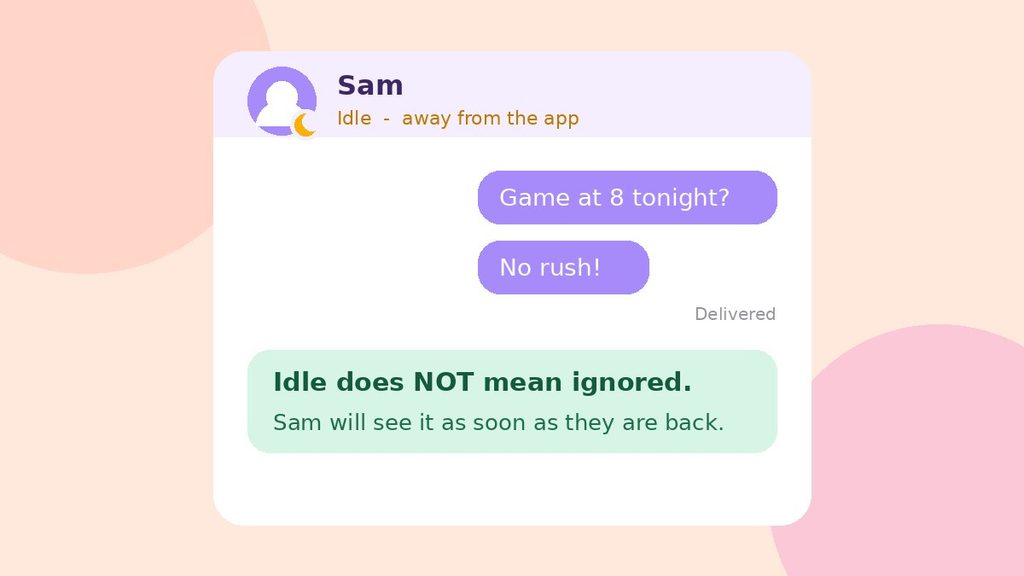
For example, “Hey Sam, are you free for a game at 8? No rush!” works much better than “ARE YOU THERE???” Both reach the same inbox, but only one feels good to read. 😊
Pro Tips for Using the Idle Status Like a Pro
Now you know what does idle mean on Discord and why it shows up. These habits will help you use it well.
Tip 1: Set It by Hand in Seconds
On a computer, click your profile picture at the bottom left and select Idle. On a phone, open the menu, tap your profile icon, choose “Set Status,” then tap Idle.
Tip 2: Add a Custom Status
A moon alone leaves room for guesses. A note such as “Dinner, back at 9 🍜” answers every question before it is asked.
Tip 3: Send the Message Anyway
Never wait for a green dot out of politeness. Idle people can read messages later, so send yours now.
Tip 4: Reset After a Manual Idle
Changing the status back takes five seconds. Do it when you return, so nobody thinks you are still gone.
Tip 5: Don’t Read Too Much Into It
Because Discord sets idle on its own, the moon is a weak clue. Treat it as a hint about timing, never as a clue about feelings.
Quick Recap
Here is the whole story of what does idle mean on Discord in five lines:
- 🌙 The yellow moon means “logged in, but away.”
- ⏱️ Discord often sets it after about five minutes of inactivity.
- 🔔 Notifications still work while you are idle.
- 💬 You can message idle people at any time.
- 🔁 Manual idle stays on until you change it.
Final Thoughts
The yellow moon is a small, friendly sign. It says a person is logged in, but away from the screen for now.
So the next time you ask yourself what does idle mean on Discord, remember the coworker’s empty chair. The jacket is still there, and they will be back soon. 🌙
FAQ: What Does Idle Mean on Discord?
What does idle mean on Discord in simple words?
It means the user is logged in, but away from the app for now. Discord shows a yellow crescent moon on their avatar. They can read your message when they return, so you can send it right away.
Is idle the same as offline on Discord?
No. An idle user is still connected, with the app open. An offline user is not connected at all. Invisible users also look offline, even though they are online.
Does idle turn off my notifications?
No. Alerts keep working while you are idle. If you want them muted, switch to Do Not Disturb instead.
Can I change how fast Discord sets me to idle?
Discord’s help pages do not list a setting for this timer. The easiest option is to stay active in the app. Remember that going idle is harmless, so most people simply let it happen.