
You open Instagram, and a small word catches your eye: reshares. Your mind starts racing. Did you do something wrong? Is it good news? Is someone watching you?
Take a breath. Nothing bad is happening. In fact, it is usually a compliment. So, what does reshares mean on Instagram Story, and why does the app keep showing it to you? 🤔
In the next few minutes, you will get a clear answer, real-life examples, and practical tips. By the end, you will know exactly what a reshare is and what to do about it.
What Does Reshares Mean on Instagram Story?
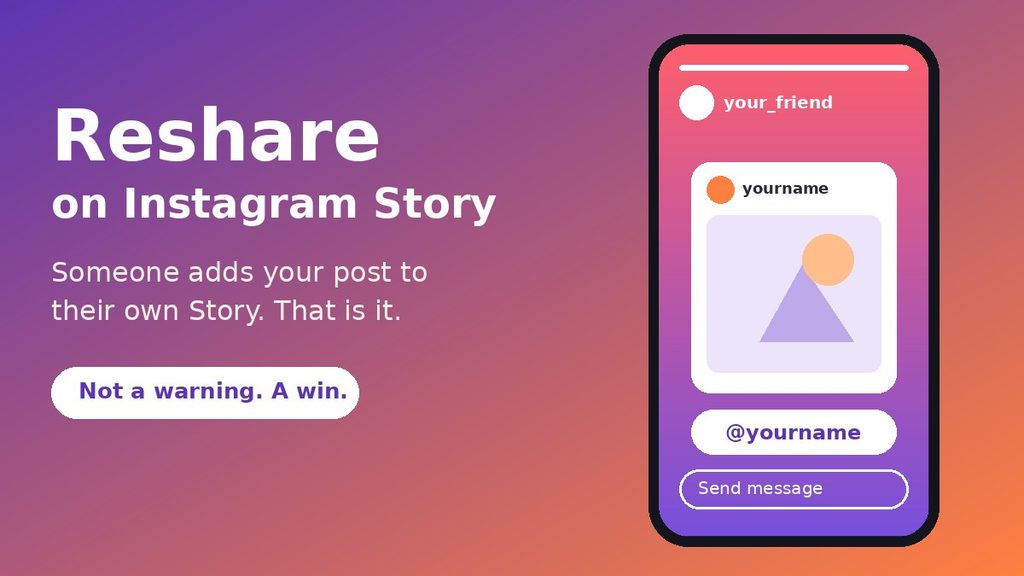
When people ask what does reshares mean on Instagram Story, the short answer is simple. A reshare happens when someone takes your post, Reel, or Story and adds it to their own Story.
They do this with the paper-plane share button. Then they pick the option to add the content to their Story. Their followers can now see your content for 24 hours.
Your username usually appears on top as a sticker or credit. That way, viewers know who made it. If your account is public, people can often tap that sticker and visit your profile. ✅
The Quick Answer
Reshares on an Instagram Story means other people have added your content to their own Story. It shows that your post spread beyond your own followers. It is information, not a warning or an error.
The Simple Meaning in Easy Words
Many people search for what does reshares mean on Instagram Story because the word feels technical. It is not. It is just everyday sharing with a fancy name.
Think about a time you saw a funny video and told your friend, “You have to see this.” Then you showed it to them. A reshare works the same way, only on Instagram.
Someone liked what you made. So they passed it along to their own circle. That is all it is.
Here is a handy way to remember it:
- Re means again.
- Share means pass it on.
- Reshare means someone passed your content on again, using their own Story.
You may see the word in a few places, such as your notifications, your Insights, or the share options on a post. The label can look slightly different from phone to phone. Still, the idea stays the same. 🔥
Where Is Reshares Used?
The word shows up in a handful of spots inside Instagram. Knowing them helps you spot a reshare quickly. It also makes the question of what does reshares mean on Instagram Story much easier to answer in real life.
On Instagram Stories
This is the main place. A person adds your feed post, Reel, or Story to their Story. Their viewers see it as a new slide with your name attached.
In Instagram Insights
If you have a professional account, Insights gives you numbers about your content. The share count there often mixes private message sends with Story reshares. Because of that, it is not a pure reshare count.
In Notifications and Messages
Sometimes you get an alert when someone adds your content to their Story and tags you. It may arrive as a message in your inbox. If they do not tag you, you may get no alert at all.
On Public Reshare Lists
For some posts, Instagram lets you view public accounts that reshared your content to their Story. This list usually stays available only while those Stories are live, which is about 24 hours. Instagram changes menus often, so the exact option name may differ on your app.
How Does an Instagram Story Reshare Work?
Seeing the steps makes everything clearer. Here is what the other person does when they reshare your content. 👇
- They find your post or Reel and tap the paper-plane icon.
- They choose “Add to story” from the share menu.
- Instagram places your content on a new Story screen.
- They add stickers, text, or music if they like.
- They publish it, and the reshare goes live for 24 hours.
Your content keeps its link to you. If someone taps the credit, they can often reach your original post.
Can Anyone Reshare Your Content?
Not always. You control this from your privacy settings. Open your settings, look for the Story or sharing section, and check the toggle that allows others to add your posts to their Stories. If it is off, people cannot reshare you that way.
Also, private accounts work differently. Their content is usually hard to reshare, because Instagram protects who can view it.
How Can You Check Your Own Reshares?
Still wondering what does reshares mean on Instagram Story for your own account? The best way to learn is to look at your own numbers. Here is a simple routine. 🔍
- Switch to a professional account if you have not already. It is free in your settings.
- Open one of your posts or Reels and tap View insights.
- Look at the Shares number and compare it with your reach.
- Check whether Instagram shows a list of public Story reshares for that post.
- Open your inbox and notifications to spot any Story tags from other people.
Remember that the Shares total often includes private sends. So, a big number does not always mean many public reshares. Treat it as a hint about how much people like your content, not as an exact count of Stories.
What If You Cannot Find the Option?
Do not worry if your app looks different. Instagram tests new layouts all the time. Some accounts get features earlier than others.
If the option is missing, update the app first. Next, make sure your account is professional. Finally, try again after a day or two.
Why Do People Reshare Stories?
Nobody reshares by accident very often. There is almost always a reason behind it. Here are the most common ones:
- They loved it. Your post made them smile, think, or feel inspired.
- They want to support you. Friends and fans often reshare to give you a boost.
- They relate to it. Some posts say exactly what a person feels, so they share it as their own voice.
- They want to tell others. A new product, event, or announcement often travels this way.
- They are filling their Story. Good content makes their own Story more fun to watch.
In short, a reshare is a vote of trust. 💛 Someone decided your content was worth showing to the people they care about.
What a Reshare Says About Your Content
People rarely reshare something they feel lukewarm about. Their own followers will see it next to their personal photos. So, they only pick content that matches their taste.
That is why even a handful of reshares carries weight. Each one is a small endorsement from a real person. It often feels more honest than a like, because it takes a few extra taps.
Real-Life Examples of Reshares
Let us look at a few everyday situations. The names below are made up, but the scenes will feel familiar.
Example 1: The Small Business Owner
Priya runs a tiny bakery and posts a Reel of fresh cupcakes. A customer loves it and adds it to her Story with a “Best treats in town!” sticker.
Suddenly, 300 of the customer’s followers see Priya’s bakery. A few of them visit her profile. That is a reshare doing real work. 🧁
Example 2: The Friend Who Posts a Funny Meme
Jordan shares a meme about Monday mornings. His friend Sam adds it to his Story and writes, “Me every week.”
Jordan gets a notification and smiles. Nobody sent a message, yet the joke traveled further.
Example 3: The Creator With a New Video
Lena makes travel videos. After she posts a short clip from Lisbon, three other travelers add it to their Stories. Their audiences love the view.
The next day, Lena notices more profile visits than usual. The reshares opened a door to new viewers. 🌍
Example 4: The Confused Beginner
Marco is new to Instagram. He sees the word “reshares” and panics, thinking he broke a rule. Then a friend explains, “Someone just shared your photo to their Story.”
Marco laughs with relief. He was worried for no reason, and that is the most common reaction people have.
Example 5: The Student Sharing Study Tips
Aisha posts a quick carousel about how she plans her exams. A classmate adds it to her Story, and soon, other students in the same school see it too.
Aisha did not run an ad or pay anyone. A helpful post simply found the right people. 📚
Do Reshares Help Your Reach?
Yes, they can. When someone reshares your content, their followers see it, and many of them have never met you. That is fresh reach without extra work.
Still, keep your expectations realistic. A reshare lives in a Story, and Stories vanish after a day. Viewers also tap through quickly. Some will watch your slide, but many will move on.
Reshares also differ from stronger signals, such as comments and saves. Those tell Instagram that people want more of your content. A reshare works best as one piece of a bigger picture.
How to Turn Reach Into Followers
- Keep your bio clear, so new visitors understand you in seconds.
- Pin or highlight your best posts for first-time visitors.
- Post regularly, so there is always something fresh to see.
- Reply to comments and messages from people who found you through a reshare.
Reshares vs Similar Terms
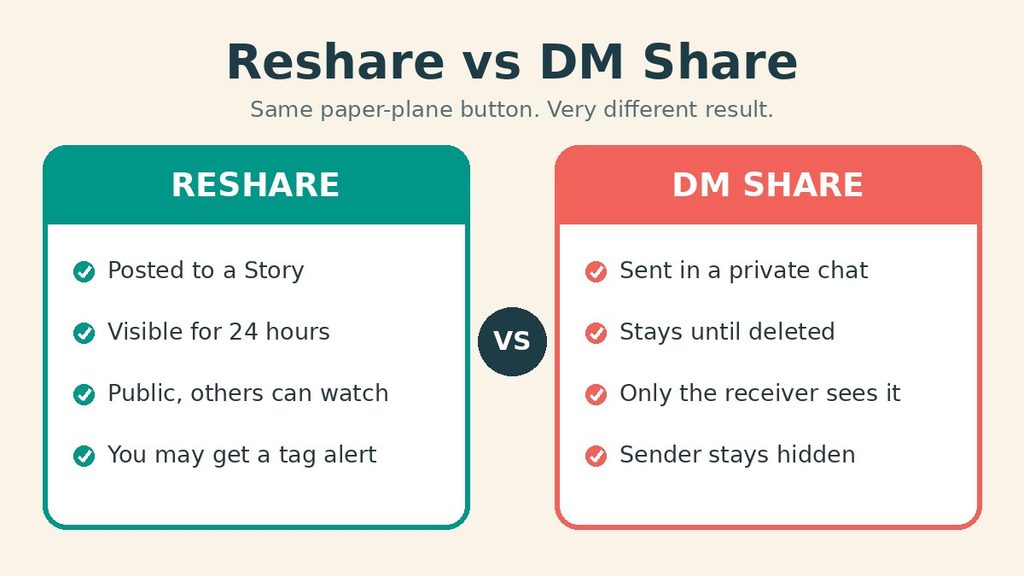
Instagram has many sharing features, so the words can blur together. Before you decide what does reshares mean on Instagram Story for you, compare it with its cousins. This table keeps them straight. 📊
| Term | What It Means | Who Sees It |
|---|---|---|
| Reshare | Someone adds your content to their Story | Their Story viewers, for 24 hours |
| DM share | Someone sends your post in a private chat | Only the person who gets the message |
| Mention | Someone tags your username in their Story | Their Story viewers, and you get alerted |
| Repost | A newer feature that places public content on the reposter’s profile | Their followers, on their profile |
| Save | Someone bookmarks your post for later | Only that person |
| Screenshot | Someone captures your content on their device | Whoever they send it to |
The Main Difference to Remember
A reshare is public and short-lived. A DM share is private and quiet. Both help your content spread, but only a reshare puts it in front of a whole new audience.
When Should You Reshare Someone’s Content?
Now flip the question. Maybe you want to reshare something yourself. Good idea, as long as you do it with care. Once you understand what does reshares mean on Instagram Story, you also see why respect matters here. ✅
Reshare when:
- You genuinely enjoyed the post and want others to see it.
- A friend or small creator could use some support.
- The content is useful, such as a tip, event, or announcement.
- The creator allows sharing and would be happy to be featured.
Skip the reshare when:
- The post is private or personal, and the person may not want it spread.
- You are unsure the content is true.
- It shows someone in a way they might find embarrassing.
A simple rule works well here. If you would not mind seeing your own content shared that way, go ahead.
Common Misunderstandings About Reshares
Many people feel unsure about this label, even after reading what does reshares mean on Instagram Story once. Let us clear up the biggest myths. ⚠️
Myth 1: “Reshares means I got in trouble.”
This is false. Instagram does not use the word as a warning. Policy notices look very different and come with clear messages.
Myth 2: “Reshares and shares are identical.”
They are close, but not the same. Your total share number can include private message sends. A reshare means a Story was involved.
Myth 3: “I can always see who reshared me.”
Not true. You can often see public reshares for a short time. Private message shares stay hidden, and so do many reshares from private accounts.
Myth 4: “More reshares always means more followers.”
Reshares help people discover you. However, they do not guarantee new followers. Viewers must still like what they see and choose to follow.
Myth 5: “A reshare lasts forever.”
The Story itself disappears after 24 hours. Your count in Insights may stay, but the public view fades.
Pro Tips for Making the Most of Reshares
You now know what does reshares mean on Instagram Story in plain terms. Next, let us turn that knowledge into results. 🚀
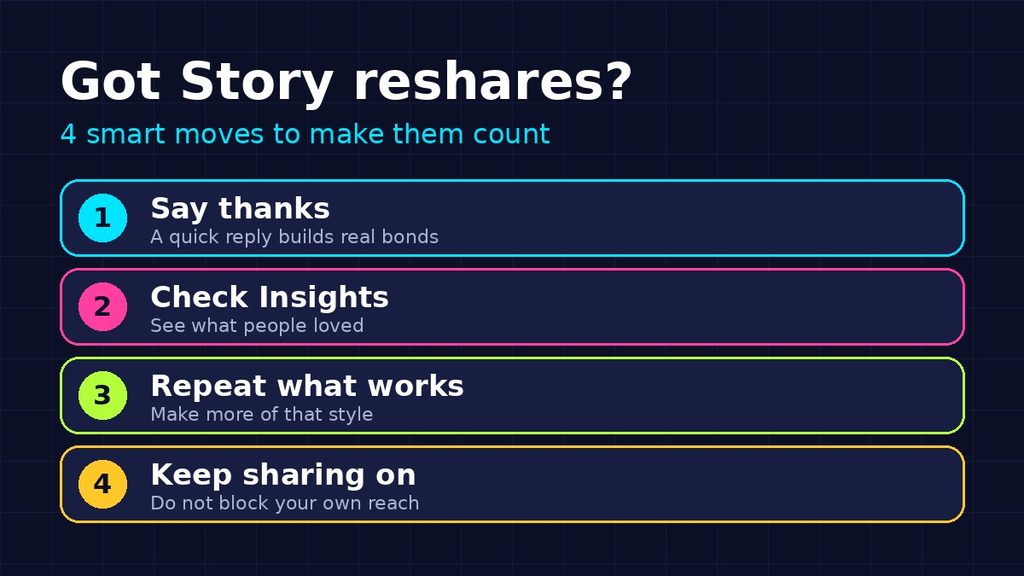
1. Say Thank You Quickly
A short reply goes a long way. People remember creators who notice them. Besides, it builds real relationships, which matter more than any number.
2. Study What Gets Reshared
Check which posts travel the most. Maybe your tips beat your selfies, or your short videos beat your photos. Then make more of what people clearly love.
3. Create Content That Is Easy to Share
Posts that are funny, useful, or relatable tend to spread. Add a clear message and a strong first second. Make people feel something.
4. Keep Your Sharing Settings On
If you want reach, allow others to add your posts to their Stories. Review the setting every few months, because app updates can change defaults.
5. Be Careful With Private Content
If something is personal, turn off sharing for it or keep your account private. You decide how far your content may travel.
6. Credit Others When You Reshare
Always leave the creator’s name visible. It is polite, and it keeps trust strong across the community. For more simple guides like this one, visit Ogmeaning.
Final Thoughts
So, what does reshares mean on Instagram Story? It means someone liked your content enough to show it to their own followers. That is a good sign, and nothing to worry about.
Use the knowledge well. Say thanks, learn from what spreads, and keep creating things that people want to pass along. If you ever feel lost, the official Instagram Help Center explains current features in detail. 💜
Frequently Asked Questions
What does reshares mean on Instagram Story in simple words?
It means another person added your post, Reel, or Story to their own Story. Their followers can then see it for 24 hours, usually with your username shown on top.
Can I see who reshared my Instagram Story?
Sometimes. You may see public accounts that reshared your content while their Stories are still live. You may also get an alert if they tag you. Private message shares and some private-account reshares stay hidden.
Is a reshare good for my account?
Yes, in most cases. Once you know what does reshares mean on Instagram Story, the benefit is easy to see. Reshares put your content in front of new people and act like a recommendation from a friend. They do not guarantee more followers, but they raise your chances of being discovered.
How do I stop people from resharing my posts?
Once you learn what does reshares mean on Instagram Story, you may decide you do not want it for your content. You can change that. Open your privacy settings, find the Story or sharing options, and turn off the toggle that lets others add your posts to their Stories. The names of menus can change after updates, so look for wording about sharing to a Story.
Do reshares disappear after 24 hours?
The public Story disappears after 24 hours. However, the share numbers inside your Insights usually stay, so you can still learn from them later.