
You open Discord and spot a tiny yellow moon next to your friend’s name. Are they mad at you? Asleep? Ignoring your message? 😅
Relax. If you have ever wondered what does idle on Discord mean, the answer is much friendlier than you think. Once you understand it, you will read every status dot like a pro.
In this guide, you will learn what the moon icon really says, when it shows up, and why people choose it. You will also see real-life examples, a simple comparison table, and practical tips you can use today. ✅
What Does Idle on Discord Mean?
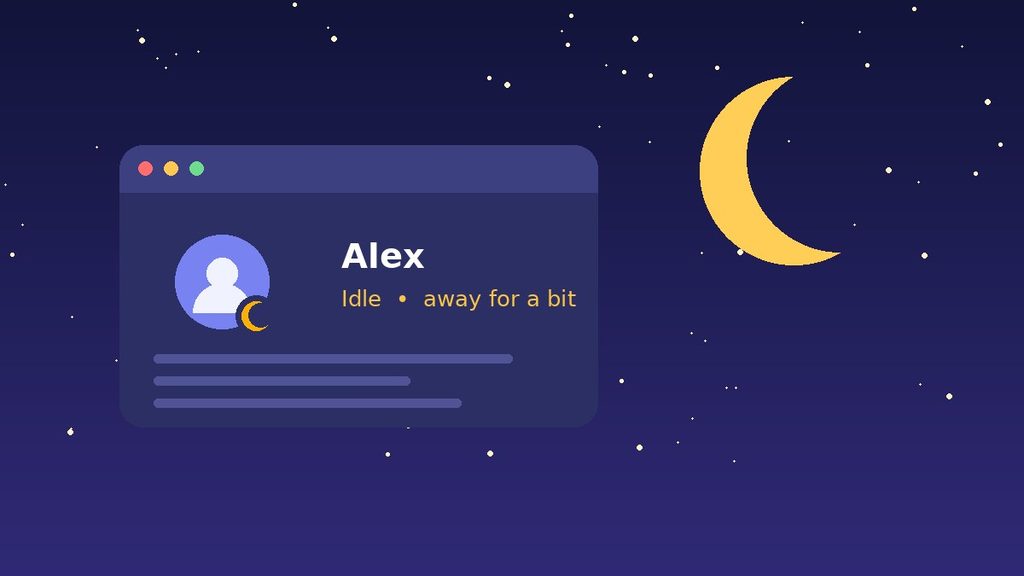
Idle on Discord means a user is logged in, but not actively using the app right now. Discord shows this with a yellow crescent moon on the person’s profile picture. Think of it as a polite “I’m away for a bit” sign. 🌙
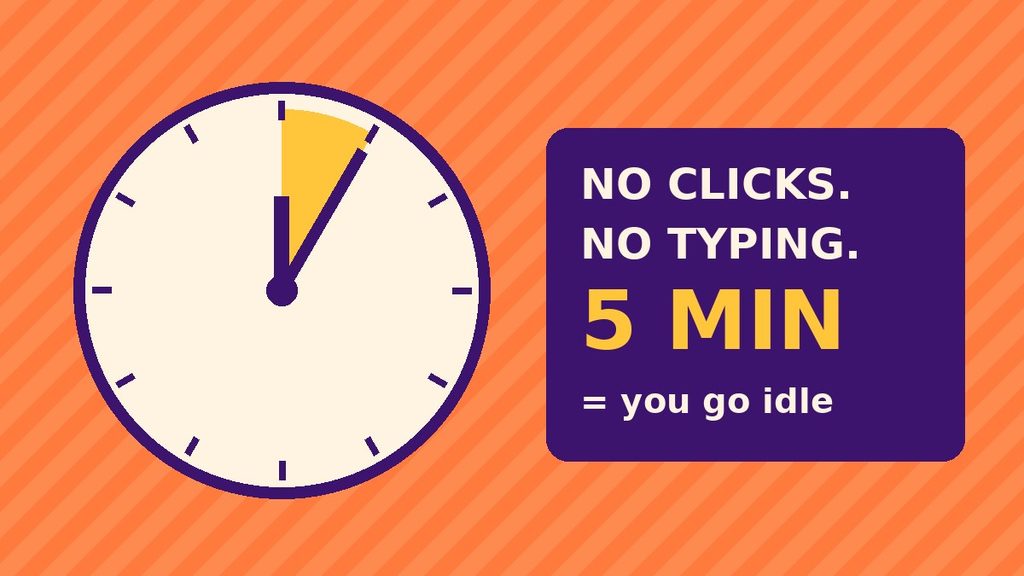
Discord can switch you to this status automatically. Reports suggest it happens after roughly five minutes without activity. You can also pick it yourself from the status menu.
Here is the key point: idle is not offline. The account is still connected, so the person can reply as soon as they come back. In other words, your message will not disappear into thin air.
The Simple Meaning of Idle in Plain Words
Imagine a small shop. A green light on the door means the owner is inside and ready to help. A “back in five minutes” note on the counter means the owner stepped out, but the shop is still open.
That note is the idle status. The owner has not closed the shop. They are just not standing at the counter at this moment.
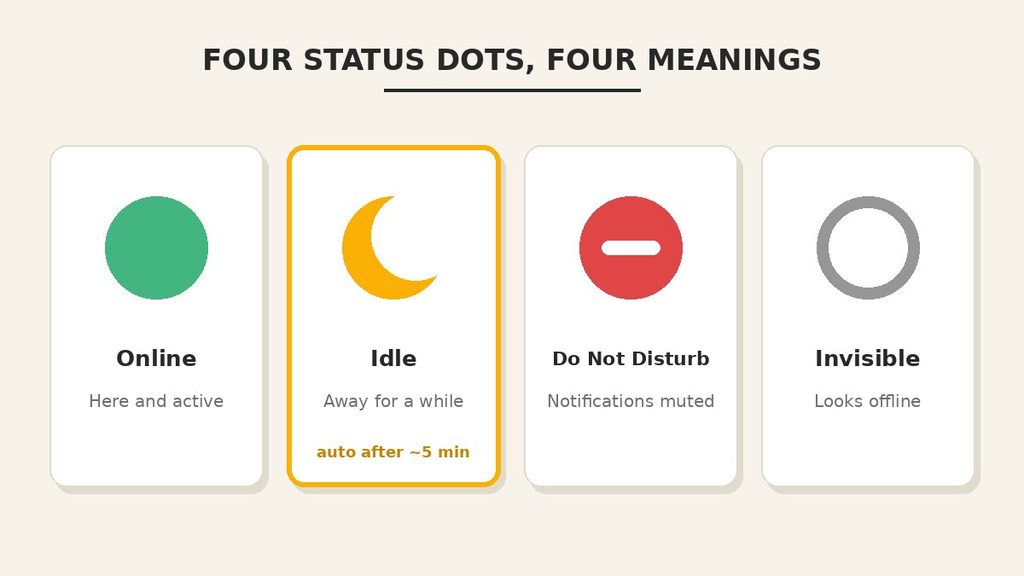
Here is a quick cheat sheet:
- 🟢 Online means “I’m here and active.”
- 🌙 Idle means “I’m logged in, but I stepped away.”
- ⛔ Do Not Disturb means “Please don’t ping me.”
- ⚪ Invisible means “I look offline, but I’m around.”
Gamers often call this “AFK,” which stands for “away from keyboard.” So when someone says “I’m AFK,” they basically mean “I’m idle.”
How Long Does It Take to Go Idle on Discord?
Most guides report that Discord switches you to idle after about five minutes of inactivity. That means no typing, no clicking, and no mouse movement inside the app.
However, Discord’s own help page only says it happens after “a certain amount of time.” It does not publish an exact number. So treat five minutes as a good rule of thumb, not a guarantee.
Two more details are worth knowing:
- Automatic idle ends on its own. The moment you become active again, your status returns to online.
- Manual idle stays put. If you choose it yourself, it stays until you change it back.
This difference explains a lot of confusion. A friend with a moon icon for three days probably set it by hand and forgot about it. 😄
Where Is the Idle Status Used?
You will see the idle status almost everywhere Discord shows a person. Because it sits on the profile picture, it follows you across the app. Let’s look at the main places.
On the Desktop App
This is where most people meet the idle status. Leave Discord open on your PC, walk away for a snack, and the moon appears on its own. When you return and move your mouse, it switches back to green.
On Your Phone
On mobile, you can set the status by hand. Tap your profile icon, choose “Set Status,” and pick Idle. Also, if you leave the app in the background for a while, friends may see a moon or even an offline dot.
In Your Browser
The web version works the same way as the desktop app. If you leave a Discord tab open and stop interacting with it, you can still go idle after a few minutes.
In Servers, DMs, and Voice Chats
Your status shows up in the member list of a server. It also appears in direct messages and on your profile card. Therefore, anyone who shares a server with you can spot the moon at a glance.
That said, the status is just a hint. It does not block anyone from messaging you.
Does Idle Mean You Still Get Notifications?
Yes, it does. This is one of the biggest perks of the moon icon. Idle changes how you look to others, but it does not silence your account.
In general, Discord also sends push notifications to your phone when your computer sits idle. So you can walk away from your desk and still see a ping on your phone. That is handy when you wait for an important reply.
Of course, some days you want complete silence. In that case, Do Not Disturb is the better pick. It mutes desktop notifications, so nothing pulls you out of your focus.
What Does Idle on Discord Mean to Other People?
Your status is a small message to everyone who can see you. So it helps to know how they read it.
When a friend notices your moon icon, they usually think one of three things:
- “They’re away, so I’ll wait a little.”
- “They will probably see my message later.”
- “I’ll try again in a few minutes.”
Most people read it kindly. After all, they go idle all the time too. Because of that, you rarely need to explain a moon icon to anyone.
Context still matters, though. In a work or school server, an idle icon during office hours may raise questions. A short custom status solves that quickly. For example, “In a meeting until 3 PM” says far more than any icon can.
Why Do People Use the Idle Status?
Most people never think about it, because Discord sets it automatically. Still, many users choose idle on purpose. Here are the most common reasons:
- To be honest about availability. It tells friends you might reply slowly.
- To lower the pressure. Nobody expects an instant answer from an idle user.
- To stay reachable. Unlike Invisible, idle still tells people you are around.
- To keep notifications on. Unlike Do Not Disturb, idle does not mute your alerts.
- To take a short break. It works well for meals, calls, or a quick walk.
In short, idle is the “middle ground” status. It is softer than Do Not Disturb and more open than Invisible.
Real-Life Examples of Idle on Discord
Examples make everything clearer. Here are four situations that show what does idle on Discord mean in daily life. You have probably seen them yourself.
Example 1: The Snack Break
Maya is chatting in her gaming server. Then her pizza arrives, so she leaves her PC for ten minutes. During that time, Discord switches her to idle.
What it means: She is not ignoring anyone. She is just eating. When she returns, her status turns green again.
Example 2: Studying in Another Window
Ali keeps Discord open while he writes an essay in a different window. He does not touch Discord for several minutes, so the moon appears.
What it means: He is busy, but still nearby. A short message might get a quick reply in a few minutes.
Example 3: The Gaming Squad
Your squad is waiting for a fifth player. You see that player’s icon is a moon, not a green dot. Since they might be away, you send a message instead of starting without them.
What it means: A quick ping is fine. Just don’t expect an answer in two seconds.
Example 4: A Work or Class Server
Sara manages a small online class on Discord. She sets herself to idle while she grades homework offline. Her students see the moon and understand she is not available right now.
What it means: She is signaling “I’m here, but not at my desk.” It sets a clear and friendly boundary.
Idle on Discord vs Similar Terms
The moon icon is only one of several statuses. People often mix them up, so this table shows what does idle on Discord mean next to the others.
| Status | Icon | What It Means | Notifications |
|---|---|---|---|
| Online | Green dot | You are active and available | Work as normal |
| Idle | Yellow crescent moon | You are logged in, but away | You still get alerts |
| Do Not Disturb | Red circle with a line | You want no interruptions | Desktop notifications are muted |
| Invisible | Grey hollow circle | You look offline to others | You can still use Discord normally |
| Offline | Grey dot | You are not connected at all | None until you log in |
Notice how idle differs from the rest. Online says “talk to me.” Do Not Disturb says “please don’t.” Invisible says “pretend I’m gone.” Idle simply says “I’ll be back soon.”
There is one more difference. According to a guide from How-To Geek, Do Not Disturb and Invisible do not switch to idle by themselves. Only your normal active status does that.
When Should You Use Idle on Discord?
Knowing what does idle on Discord mean also tells you when to use it. You do not need to wait for Discord to do it for you. Sometimes it helps to set it yourself. Idle is a smart choice in these moments:
- ✅ You are leaving your desk for a short while.
- ✅ You are watching a movie and may glance at chats later.
- ✅ You are in a long meeting, but can answer urgent messages.
- ✅ You want friends to know you are slow to reply today.
On the other hand, idle is not the best fit every time. Pick another status in these cases:
- ⚠️ Need real focus? Choose Do Not Disturb so alerts stop popping up.
- ⚠️ Want privacy? Choose Invisible, so you appear offline.
- ⚠️ Ready to chat? Choose Online, because a moon icon can make people hesitate.
A good habit is to match your status to your real situation. That way, your friends always know what to expect.
Common Misunderstandings About Idle on Discord
The moon icon is small, so people read a lot into it. Many of them guess wrong about what does idle on Discord mean. Let’s clear up the most common myths. 🔥
Myth 1: “Idle means they are ignoring me.”
Not true. In most cases, the person simply has not touched Discord for a few minutes. They may not even have seen your message yet.
Myth 2: “Idle means they are asleep.”
Not necessarily. Sleeping is one possible reason, but so are cooking, studying, or watching a video. The icon never tells you why someone is away.
Myth 3: “Idle is the same as offline.”
No. An offline user is not connected. An idle user is connected, and the app is still open. This is why idle users can reply quickly once they return.
Myth 4: “Idle is the same as Do Not Disturb.”
They are very different. Idle keeps your notifications on. Do Not Disturb mutes desktop alerts, as Discord’s own help article on online status explains.
Myth 5: “I can’t message someone who is idle.”
You can message anyone you normally can. Status never blocks a message. It only gives you a hint about how fast the reply might come.
Myth 6: “Idle hides me from others.”
It does the opposite. Everyone can still see the moon icon. If you want to hide, you need Invisible instead.
Why Does Discord Show Me as Idle When I Am Active?
Here is a common puzzle. You are busy on your computer, yet your friends see a moon next to your name. Many users ask what does idle on Discord mean in that situation, since they never left.
Discord’s exact rules are not public. Still, these are the usual explanations:
- You are working in another window. A full-screen game or video may not count as activity inside Discord.
- Discord runs in the background. If you have not touched the app for a few minutes, it may switch you to idle.
- Your screen locked or went to sleep. The computer stops sending activity.
- You picked idle earlier. A manual choice stays until you change it.
The fix is simple. Click inside Discord, open the status menu, and choose Online. Within seconds, your friends will see the green dot again.
Is the Idle Status Private?
So what does idle on Discord mean for your privacy? Not much, to be honest. People only see the moon icon. They do not see what you are doing, which window is open, or how long you have been away.
Discord also does not show a “last seen” time. Your friends only learn your current status, nothing more.
One thing to keep apart is your activity status. That feature can show the game or app you are using, and it is a separate setting. If you want more privacy, you can review it in your Discord settings. Idle on its own reveals very little.
Pro Tips for Using the Idle Status Like an Expert
Now that you know what does idle on Discord mean, let’s put that knowledge to work. These tips will save you from awkward moments.
Tip 1: Set Idle by Hand in Seconds
On a computer, click your profile picture in the bottom-left corner. Then choose “Idle” from the menu. On your phone, tap your profile icon, select “Set Status,” and tap “Idle.”
Tip 2: Remember That Manual Idle Does Not Expire
If you pick idle yourself, it stays on until you switch it off. So when you come back, change it to Online. Otherwise, friends may think you are still away.
Tip 3: Pair Idle with a Custom Status
A moon icon alone leaves room for guessing. A short custom status removes the doubt. For example, “Back in 20 mins 🍕” tells everyone exactly what is going on.
Tip 4: Don’t Judge Others by the Icon
Before you assume anything, remember that Discord often sets idle on its own. Someone may look away even though they are reading your chat on another screen. When in doubt, just send the message.
Tip 5: Use the Right Status for the Right Moment
Use idle for short breaks. Use Do Not Disturb for deep work. Use Invisible when you want peace and quiet. Each status has its own job, and mixing them up causes confusion.
Tip 6: Be Kind With Your Replies
If someone replies late and their status was idle, give them a break. Life happens away from the screen. A friendly attitude keeps your server a nice place to hang out.
Final Thoughts
The little yellow moon is not a mystery or a message of anger. It simply means a person is logged in to Discord, but has stepped away for now.
Next time you wonder what does idle on Discord mean, remember this: they are away, not gone. Send your message, stay patient, and expect a reply when they return. 🌙
FAQ: What Does Idle on Discord Mean?
What does idle on Discord mean in simple words?
It means the person is logged in, but away from the app for now. Discord shows a yellow crescent moon on their profile picture. They can still see your message when they return.
Does idle mute my notifications?
No. Idle keeps your notifications on, so you still get alerts. Do Not Disturb is the status that mutes desktop notifications. Pick that one if you need quiet time.
How do I stop Discord from going idle?
As far as Discord’s help pages show, there is no setting that changes the timer. The simplest fix is to stay active in the app. Keep in mind that going idle is harmless, so most people just let it happen.
Can I see when someone was last online?
No. Discord does not show a “last seen” time. You only see the current status, such as online, idle, Do Not Disturb, or offline. If someone looks offline, they may also be using Invisible mode.