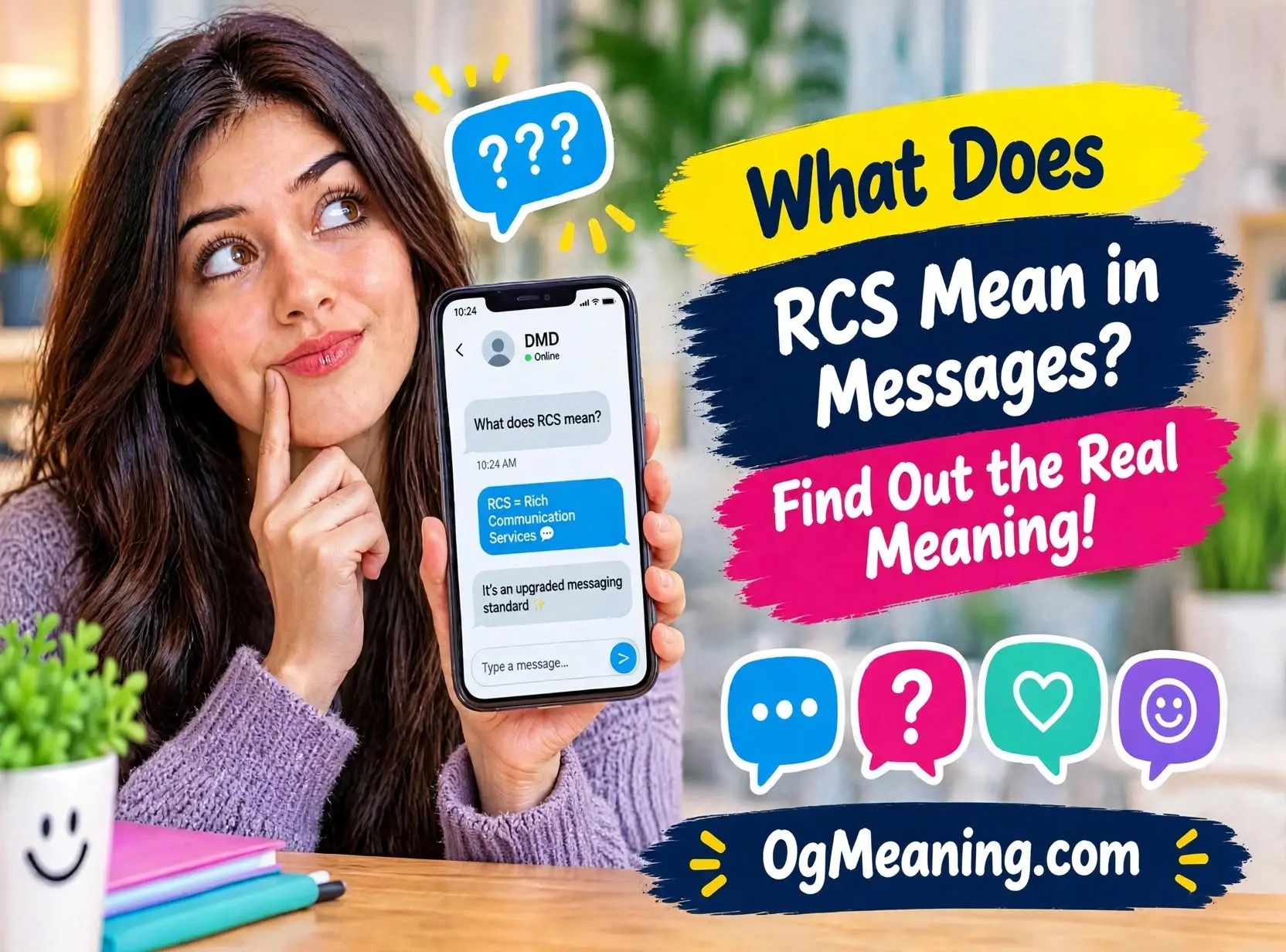
You open a chat and notice tiny words in the text box: “Text Message • RCS.” Suddenly you wonder if you pressed something by mistake. 🤔
Relax, because nothing is broken. In fact, it is good news. Millions of people ask what does rcs mean in messages after they spot this label on their phone.
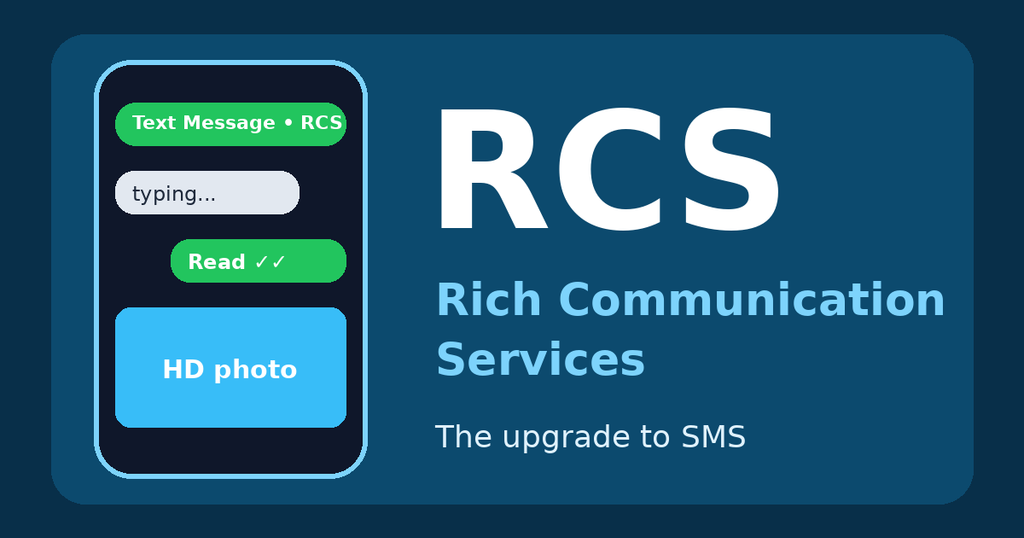
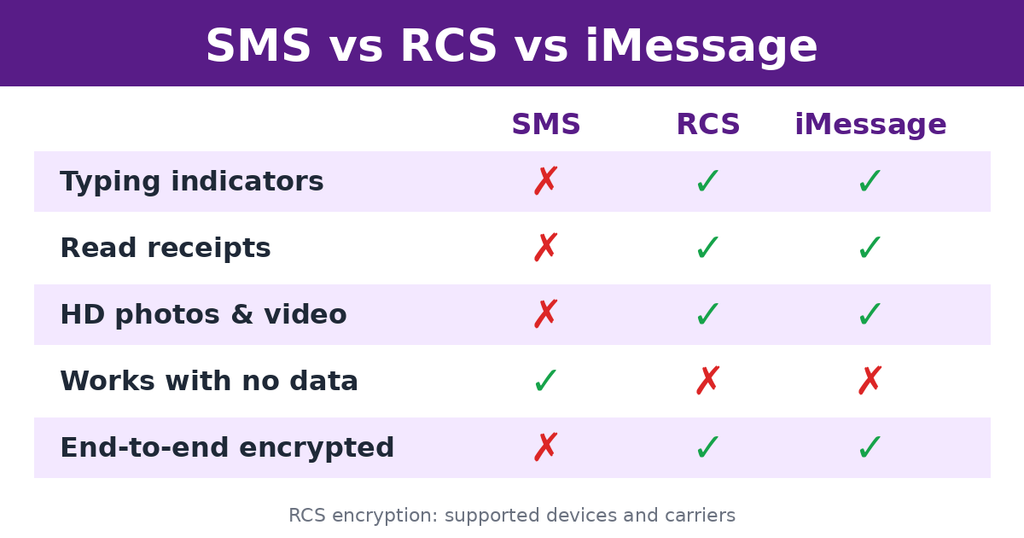
The short answer is simple. RCS stands for Rich Communication Services. It is the modern upgrade to classic SMS texting, and it adds features like typing indicators, read receipts, and sharper photos.
In this guide, you will learn the exact meaning, how RCS works, and how it compares with SMS and iMessage. You will also see real examples and simple tips. Let’s get started! 🔥
What Does RCS Mean in Messages?
RCS means Rich Communication Services. It is a modern messaging standard that sends texts, photos, videos, and group chats over mobile data or Wi-Fi, instead of the classic SMS system. ✅
Think of RCS as SMS with a major glow-up. You still use your normal phone number. However, your chats gain features that you usually find in apps like WhatsApp.
Here is a quick snapshot:
- Full form: Rich Communication Services
- Plain meaning: a smarter, richer version of text messaging
- Works over: mobile data or Wi-Fi
- Found in: Google Messages, Samsung Messages, and Apple Messages
RCS Meaning in Simple Words
Breaking down the name
If you still wonder what does rcs mean in messages, start with the name. Let’s split it into parts. “Rich” means full of features. “Communication” means sending messages and media. “Services” means a set of tools built into your phone.
Put together, it describes a messaging service that is richer than plain text. As a result, your chats feel closer to a modern chat app.
How RCS is different from regular texting
Classic SMS texts travel through the phone network. They only carry short text, and they cannot show typing or read status. Photos often arrive blurry, too.
RCS, on the other hand, travels over the internet. Therefore, it can carry far more data. That is why you get sharper images and live chat signals.
Is RCS an app?
No, RCS is not an app, and that is a key part of what does rcs mean in messages. It is a standard that your messaging app uses. For example, Google Messages and Apple Messages both support it. You do not need to download anything extra in most cases.
What happens when you have no internet?
If your phone cannot reach the internet, the message usually falls back to SMS or MMS. The chat still goes through, but without the rich features. This backup is one big reason RCS feels safe to use.
Where Is RCS Used?
Android phones
Google Messages has supported RCS for years. Many Android phones turn it on by default. You will often see the label “RCS message” in the text box.
iPhones
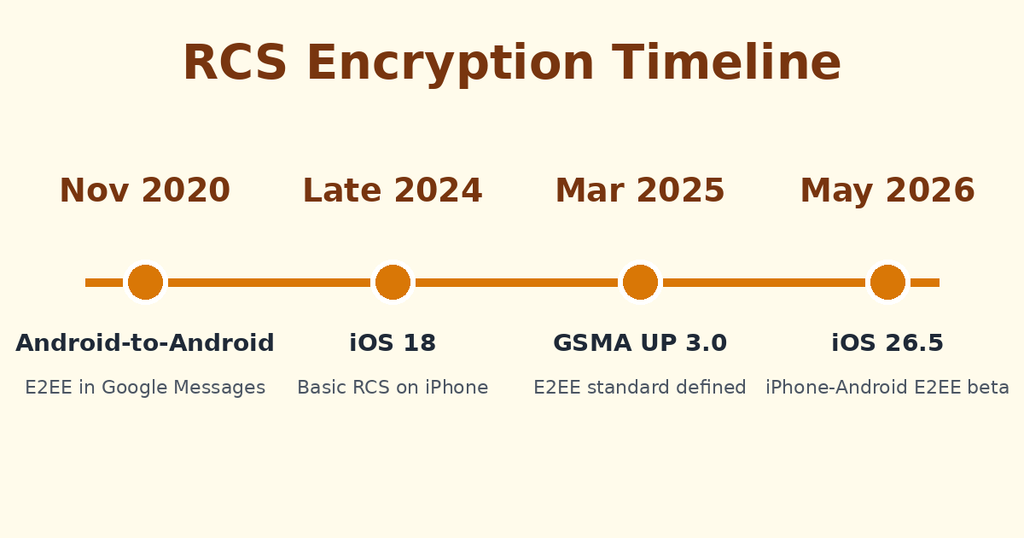
Apple added basic RCS support with iOS 18 in late 2024. That update brought typing indicators, read receipts, and higher-quality media to chats with Android users. On an iPhone, RCS chats show green bubbles, while iMessage chats show blue ones.
Chats between iPhone and Android
This is where RCS matters most. Before RCS, these chats fell back to SMS and MMS. Now they can use richer features, which makes mixed-device group chats far better.
Messages from businesses
Brands also use RCS. You may get delivery updates, appointment reminders, or branded messages with buttons and images. These business messages are different from personal chats, and we will cover that difference later.
Why Do People Use RCS?
It gives you better photos and videos
SMS and MMS squeeze media until it looks blurry. RCS keeps much more detail. As a result, vacation photos and short videos look sharp.
It shows what is happening in the chat
Typing indicators tell you when someone is writing back. Read receipts show when your message was seen. These small signals reduce the “did they get it?” worry.
It improves group chats
RCS group chats let you name the group, add or remove people, and send reactions. They also handle larger files with less trouble.
It works with your normal number
You do not need a new account or username. Your contacts can reach you at the same phone number, so switching feels effortless.
It can protect your privacy
Since 2020, Google Messages has offered end-to-end encryption for RCS chats between Android devices. In May 2026, Apple and Google began rolling out encrypted RCS between iPhone and Android as a beta. When encryption is on, a lock icon appears in the chat.
RCS Features Explained With Examples
Examples make the answer to what does rcs mean in messages much easier to see. Here are the most common features, plus how each one looks in real life.
Example 1: Typing indicator
Situation: You ask a friend about dinner plans and see three moving dots.
Meaning: Your friend is typing a reply right now. You can wait instead of guessing. 💬
Example 2: Read receipt
Situation: You send a message and the word “Read” appears under it.
Meaning: The other person opened your message. Because of this, you know it did not get lost.
Example 3: High-quality photos
Situation: You send ten holiday photos to a family group chat.
Meaning: Everyone sees clear pictures, not tiny blurry squares. 📸
Example 4: Reactions
Situation: Someone sends a joke, and you tap a laughing emoji on the message.
Meaning: The reaction sticks to the original message. It keeps the chat tidy.
Example 5: Chat over Wi-Fi
Situation: You have poor signal at home but strong Wi-Fi.
Meaning: RCS can send your message through Wi-Fi, so the chat keeps working.
Example 6: The fallback to SMS
Situation: You travel through a tunnel and lose data. Your message still sends.
Meaning: The phone switched to SMS for that message. You lose rich features for a moment, but nothing breaks. ✅
Example 7: A business message
Situation: A delivery company sends a message with a tracking button and a logo.
Meaning: This is RCS business messaging. It looks richer than plain text, and the sender can be verified.
How to tell if you are using RCS
- On iPhone, look for “Text Message • RCS” in the message box.
- On Android, look for “RCS message” in Google Messages.
- Check for typing dots, read status, or a lock icon.
How to Turn RCS On or Off
On an iPhone
Open Settings and go to Messages. Look for the RCS Messaging switch. Turn it on to chat with Android users using RCS. Your carrier must support the feature, and menu names can change slightly between updates.
On an Android phone
Open Google Messages and tap your profile picture. Then open Messages settings and find RCS chats. Switch on the option, and the app will verify your number.
What about encryption?
For encrypted chats between iPhone and Android, you need a supported carrier, iOS 26.5, and the latest Google Messages. Apple says the feature is on by default, and a toggle sits in the Messages settings. It is still a beta, so rollout varies by carrier.
RCS vs Similar Terms
RCS often gets mixed up with other messaging words. This table shows the main differences at a glance.
| Term | Full Form | Works Over | Best Known For |
|---|---|---|---|
| RCS | Rich Communication Services | Mobile data or Wi-Fi | Modern features with a phone number |
| SMS | Short Message Service | Phone network | Basic text, works almost anywhere |
| MMS | Multimedia Messaging Service | Phone network | Low-quality pictures and short clips |
| iMessage | Apple’s own service | Mobile data or Wi-Fi | Blue bubbles between Apple devices |
RCS vs SMS
SMS is the original, simple system. It sends plain text and works nearly everywhere. RCS adds rich features, though it needs data or Wi-Fi.
RCS vs MMS
MMS was the first way to send pictures by text. Unfortunately, it compresses media heavily. RCS replaces it with much better quality.
RCS vs iMessage
iMessage only connects Apple devices. RCS works across both iPhone and Android. Consequently, RCS fills the gap that blue and green bubbles used to create.
RCS vs WhatsApp and similar apps
Chat apps need a separate download and often a separate account. RCS lives inside your normal messaging app. That said, apps may still offer extra tools that RCS does not have.
When Should You Use RCS?
Knowing what does rcs mean in messages is only half the job. You also need to know when it helps. Here is a simple guide.
Great times to use RCS ✅
- Sharing photos and videos with friends or family
- Running group chats that mix iPhone and Android devices
- Chatting on Wi-Fi with weak mobile signal
- Wanting typing and read signals
- Wanting encryption between supported devices
Times to be careful ⚠️
- Travelling abroad with limited data, since RCS may use data
- Sending very sensitive details without confirming encryption
- Chatting with someone whose phone does not support RCS
- Clicking links in messages from unknown senders
If you are unsure, check for the lock icon. It tells you that encryption is active in that chat.
Common Misunderstandings About RCS
Misunderstanding 1: “RCS is the same as iMessage”
They are different systems. iMessage is Apple’s private service. RCS is an open industry standard that works across brands.
Misunderstanding 2: “RCS is always encrypted”
Not always. Android-to-Android chats in Google Messages have had encryption since 2020. Between iPhone and Android, encryption depends on the beta rollout, your carrier, and your software. Look for the lock icon.
Misunderstanding 3: “Business RCS messages are encrypted too”
No. Messages from businesses, such as delivery alerts or one-time codes, use a different setup. They do not receive end-to-end encryption. Therefore, treat them with the same care as any other automated message.
Misunderstanding 4: “RCS costs extra money”
RCS uses mobile data or Wi-Fi. Many plans include enough data, so it often feels free. Still, check your plan if you travel a lot.
Misunderstanding 5: “RCS stops spam”
RCS gives tools like verified business senders. However, scams can still reach you. Never share codes or passwords because a message asks for them.
Misunderstanding 6: “RCS means the same thing everywhere”
When you ask what does rcs mean in messages, the answer is Rich Communication Services. In software, the same letters can stand for “Revision Control System.” The context tells you which one applies. In a phone chat, it is always the messaging standard.
Pro Tips for Using RCS the Right Way
Tip 1: Keep your app updated
Anyone asking what does rcs mean in messages should also learn that updates unlock new features. New features often arrive through app updates. For instance, encrypted chats across platforms need the latest Google Messages version.
Tip 2: Check your carrier support
Some features depend on your carrier. If RCS does not work, contact your provider to confirm that your number can use it.
Tip 3: Look for the lock icon
Before you share private details, glance at the chat header. A lock icon signals encryption. No lock means you should share less.
Tip 4: Use Wi-Fi for big files
Large videos use more data. Therefore, connect to Wi-Fi before you send them. This also helps the message upload faster.
Tip 5: Turn off read receipts if you prefer privacy
Not everyone wants to show when they read a message. Both Apple and Google let you switch read receipts off in settings. It is a simple way to take control of your chats.
Tip 6: Restart RCS if it stops working
If chats show SMS instead of RCS, toggle the feature off and on again. After that, wait a minute while your phone verifies the number. This quick reset fixes many hiccups.
Tip 7: Stay alert to scams
Verified business senders look trustworthy, but you should still pause. Do not tap unknown links, and never share one-time codes.
Is RCS Safe and Private?
Many people ask what does rcs mean in messages and then follow up with a safety question. The honest answer has a few layers.
What encryption protects
End-to-end encryption means only the sender and the receiver can read the message. Carriers, app makers, and anyone in the middle cannot. When a lock icon shows, your chat has this protection.
What encryption does not protect
Encryption cannot stop a scam. If someone convinces you to share a password, the lock icon will not help. It also does not protect a chat if a stranger gets hold of your unlocked phone.
Simple safety habits
- Use a screen lock and a strong passcode
- Check the lock icon before sharing private details
- Ignore messages that rush you to click a link
- Report suspicious senders inside your messaging app
Why Is RCS Not Working on My Phone?
Sometimes the label stays on “Text Message” or “SMS.” Do not worry. A few simple causes explain most cases.
Common causes
- No data or Wi-Fi: RCS needs an internet connection
- Carrier support: your provider may not support RCS yet
- Setting is off: the RCS switch may be disabled
- Other person’s phone: they may not have RCS turned on
- Verification delay: your number may still be activating
Quick fixes to try
First, connect to Wi-Fi or mobile data. Next, toggle RCS off and on again. Then restart your phone and update your messaging app. If nothing changes, contact your carrier. They can confirm whether your number is ready.
RCS Words You Might See in Settings
Settings menus use technical terms. This short glossary keeps them clear.
- Chat features: another name for RCS in some Android apps
- Verified sender: a business that passed identity checks
- End-to-end encryption (E2EE): only chat members can read the messages
- Universal Profile: the industry rulebook that defines RCS features
- Fallback: the switch to SMS when RCS is unavailable
Understanding these terms helps you answer what does rcs mean in messages when a friend or family member asks. You can also fix settings with more confidence.
Final Thoughts
RCS is a quiet but powerful upgrade. It keeps your phone number, adds modern chat features, and now brings better privacy across iPhone and Android. 🔥
Now you know what does rcs mean in messages, where it works, and how to use it safely. Check your settings, look for the lock icon, and enjoy clearer chats.
Next time you see “RCS” in your message box, you will smile because you know exactly what it does. 😎
FAQ: What Does RCS Mean in Messages?
What does RCS mean in messages?
RCS means Rich Communication Services. It is a modern messaging standard that sends texts, photos, and videos over mobile data or Wi-Fi, with features like typing indicators and read receipts.
Is RCS the same as SMS?
No. SMS is the original system that sends plain text through the phone network. RCS is the upgrade, and it adds richer features. If RCS is not available, your phone usually falls back to SMS.
Are RCS messages encrypted?
They can be. Google Messages has encrypted RCS between Android devices since 2020. Encrypted chats between iPhone and Android began rolling out as a beta in May 2026. Look for the lock icon to confirm.
Does RCS cost money?
RCS uses mobile data or Wi-Fi, so it does not usually add a separate fee. Check your plan if you travel often or have a small data limit.